Managing enrichment sources Preview
This covers sources that enrich from a third-party data provider. For fields derived with a language model, see AI Fields.
Everything you need day to day is on the External Data Enrichment list.
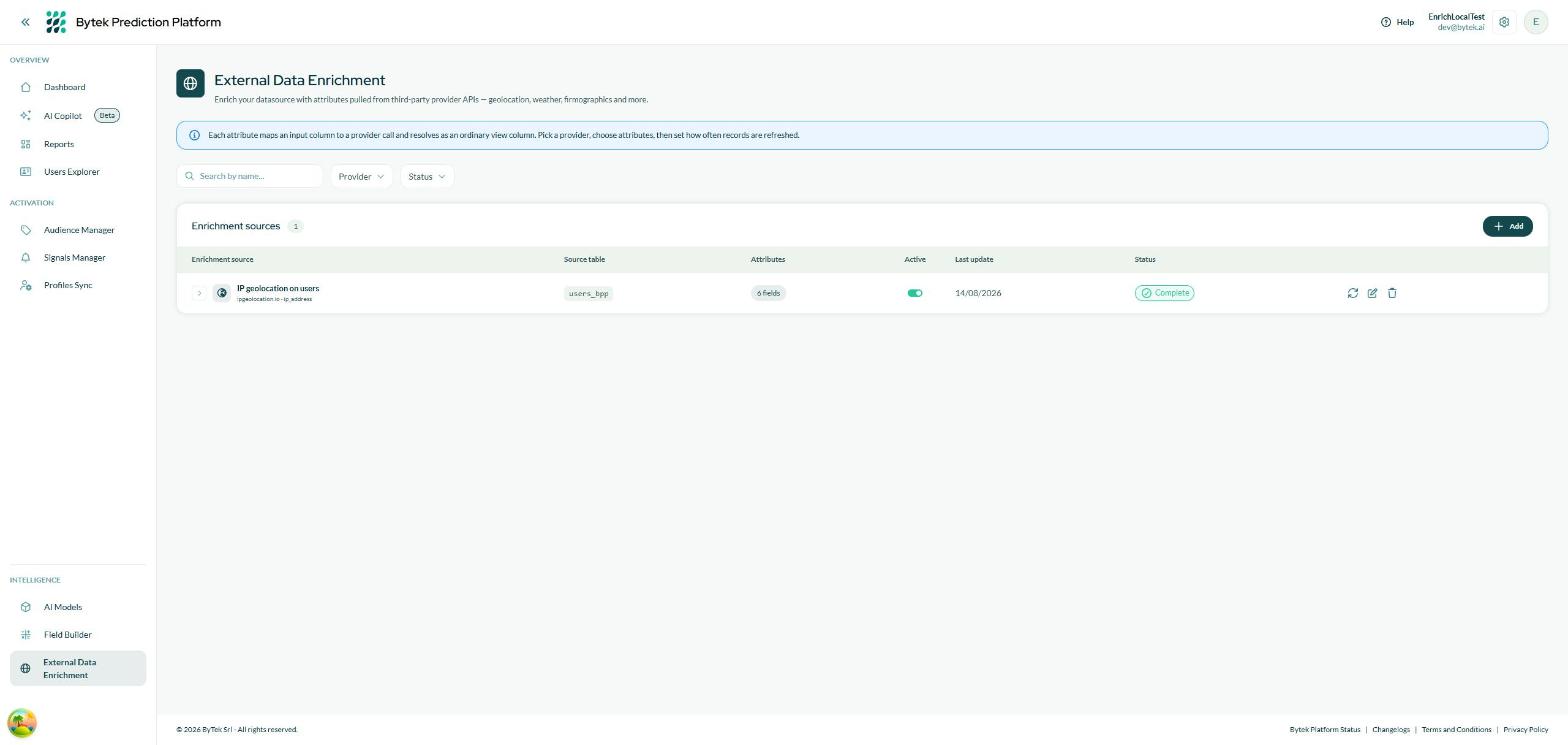
One row per source. Search by name, or filter by provider and status.
Each row shows the source's provider and the column it looks up, the table being enriched, how many fields it adds, whether it is active, when it last ran, and its status.
Seeing which fields a source adds
Click the arrow at the start of a row to expand it.
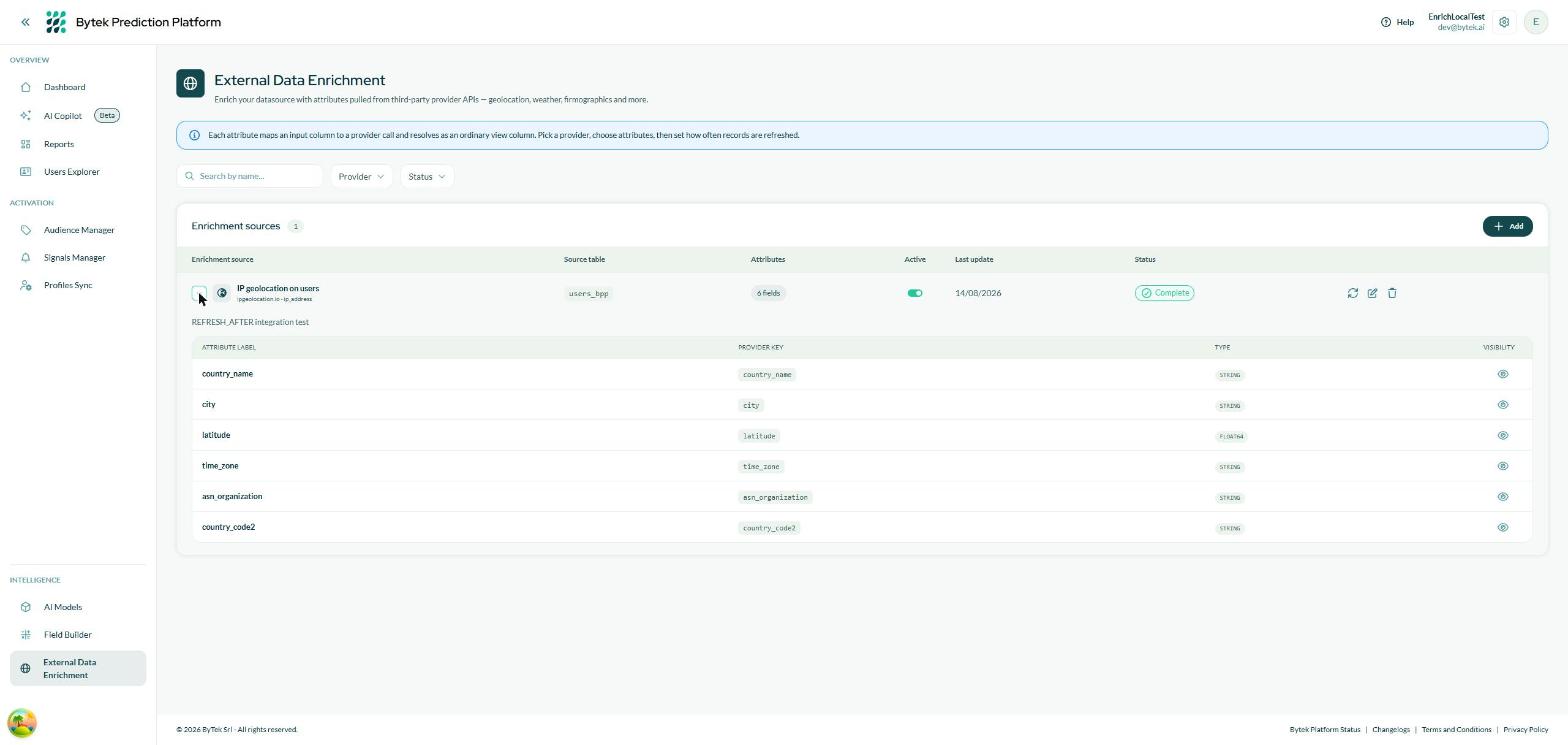
The expanded row lists every field the source adds, its type, and whether it is visible in the platform.
Row actions
| Action | What it does |
|---|---|
| Active toggle | Pauses and resumes the source. A paused (Suspended) source is skipped by the scheduled pipeline and its columns are removed from your table; the data already retrieved is kept, so resuming does not pay for it again. The toggle is unavailable on a Draft (start it with Run now) and while a run is in progress. |
| Run now (circular arrows) | Starts a lookup immediately, without waiting for the scheduled pipeline. On a Draft, this is also what starts the source for the first time. |
| Edit (pencil) | Reopens the wizard on the existing configuration. |
| Delete (bin) | Removes the source, its columns and the data it retrieved. |
Each run buys data, so a source can be refreshed by hand once an hour, with a daily cap across your account. When the button is unavailable, hover it: it tells you why — a run already in progress, or how long is left before you can run it again.
Editing a source
Editing reopens the same six steps. When you save, you are asked whether to re-run straight away:
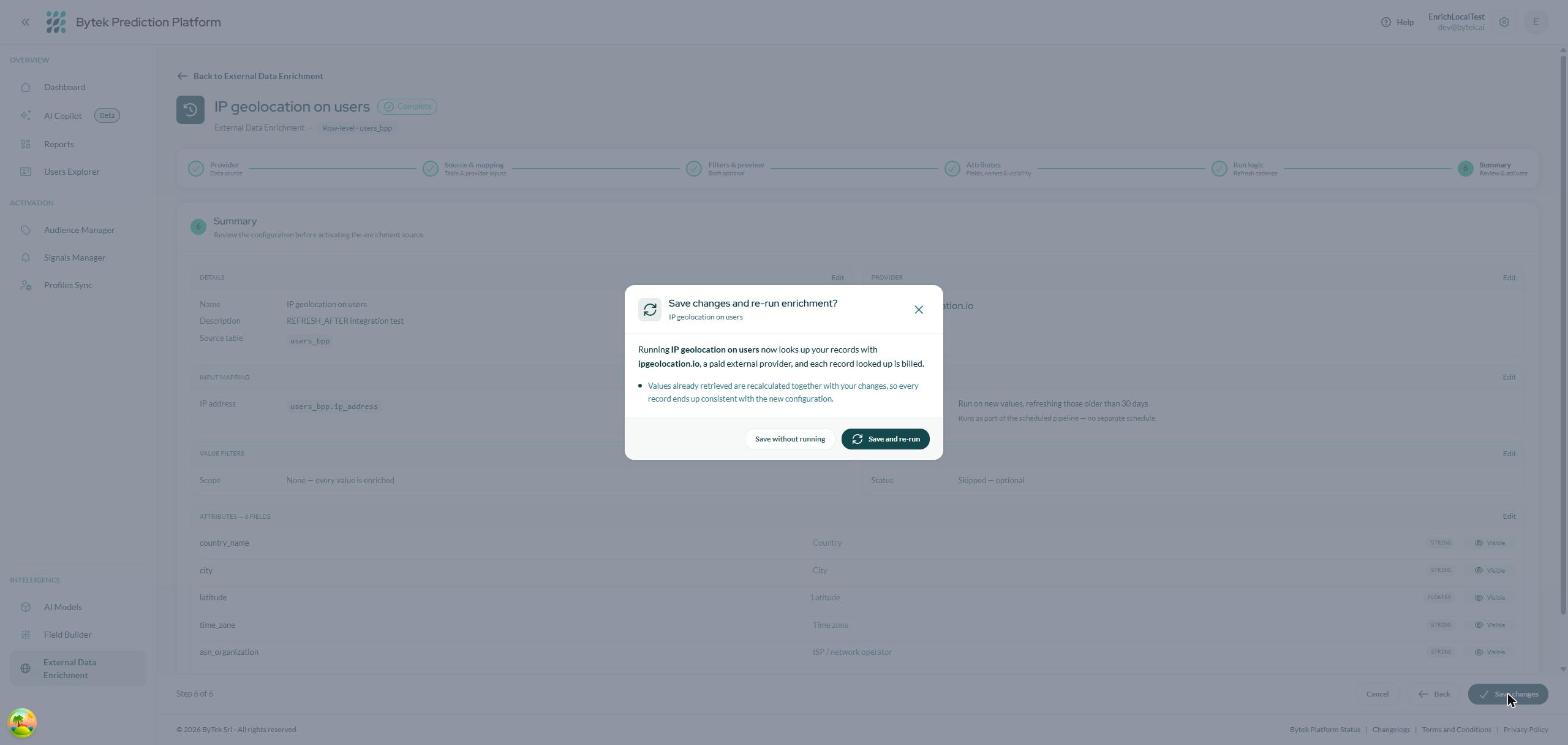
Saving an active source asks whether to look the data up again with the new configuration.
- Save without running — the change is stored and applied on the next scheduled run.
- Save and re-run — the lookup starts immediately.
If your edit adds, removes or retypes a field, the stored results have to be rebuilt: the enrichment columns read empty until a run refills them. Those columns feed audiences, signals and AI models, so if anything depends on them, choose Save and re-run rather than waiting for the scheduled run. After such an edit the hourly limit on Run now is lifted, so you can refill immediately.
Changing only a label, the visibility of a field, or the run logic does not clear anything.
A source cannot be edited while a run is in progress — wait for it to finish.
Statuses
| Status | What it means | What to do |
|---|---|---|
| Draft | Never started. No columns exist yet. | Click Run now to start it. |
| Running | A lookup is in progress. | Wait — the columns fill in when it completes. |
| Complete | Working normally. | Nothing. |
| Suspended | Paused by you; skipped by the scheduled pipeline. | Switch the Active toggle back on to resume. |
| Error | The last run failed; the reason is shown on the source. | The next scheduled run retries automatically. See below if it persists. |
Troubleshooting
| Symptom | What to check |
|---|---|
| The new columns are empty for every record | The first run may not have completed yet — check the status. If the source is Complete, check the mapped column really contains values (the picker in step 2 shows a sample). |
| The columns are empty for some records | Those records probably have no value in the mapped column, so there was nothing to look up. It can also be the provider having no answer for that value — the preview's completeness percentage tells you how often that happens on your data. |
| The columns went empty after an edit | Expected when the set of fields changed: the data is rebuilt by the next run. Use Run now to refill immediately. |
| Run now is unavailable | Either a run is already in progress, or the source was refreshed less than an hour ago. The tooltip on the button says which, and how long is left. |
| The source is in Error | Read the message on the source. The next scheduled run retries by itself; if it keeps failing, check that the source table and the mapped column still exist — a schema change can leave a source pointing at something that is gone. |
| A field I selected isn't in the audience builder | Check that the field's Visible toggle is on, and that the source is not Suspended. |
| I need a provider that isn't in the catalog | The catalog is curated by Bytek. Ask your contact — new providers are added centrally and appear for everyone. |