External Data Enrichment Preview
Everything described here is released and working: enrichment from third-party data providers. The sibling feature — AI Fields, which derives a field with a language model instead of looking it up with a provider — is documented separately. Read this as the provider half of a pair.
What it does
External Data Enrichment adds information to your records that your own data doesn't contain, by looking it up with a specialist data provider. You point BPP at a column you already have — an IP address, for example — and BPP brings back the details behind it: country, region, city, time zone, network operator.
The results become ordinary columns on your table. Once a source is running, those columns behave exactly like any other field in the platform: you can filter audiences on them, use them in signals, explore them in Users Explorer and feed them to the AI models.
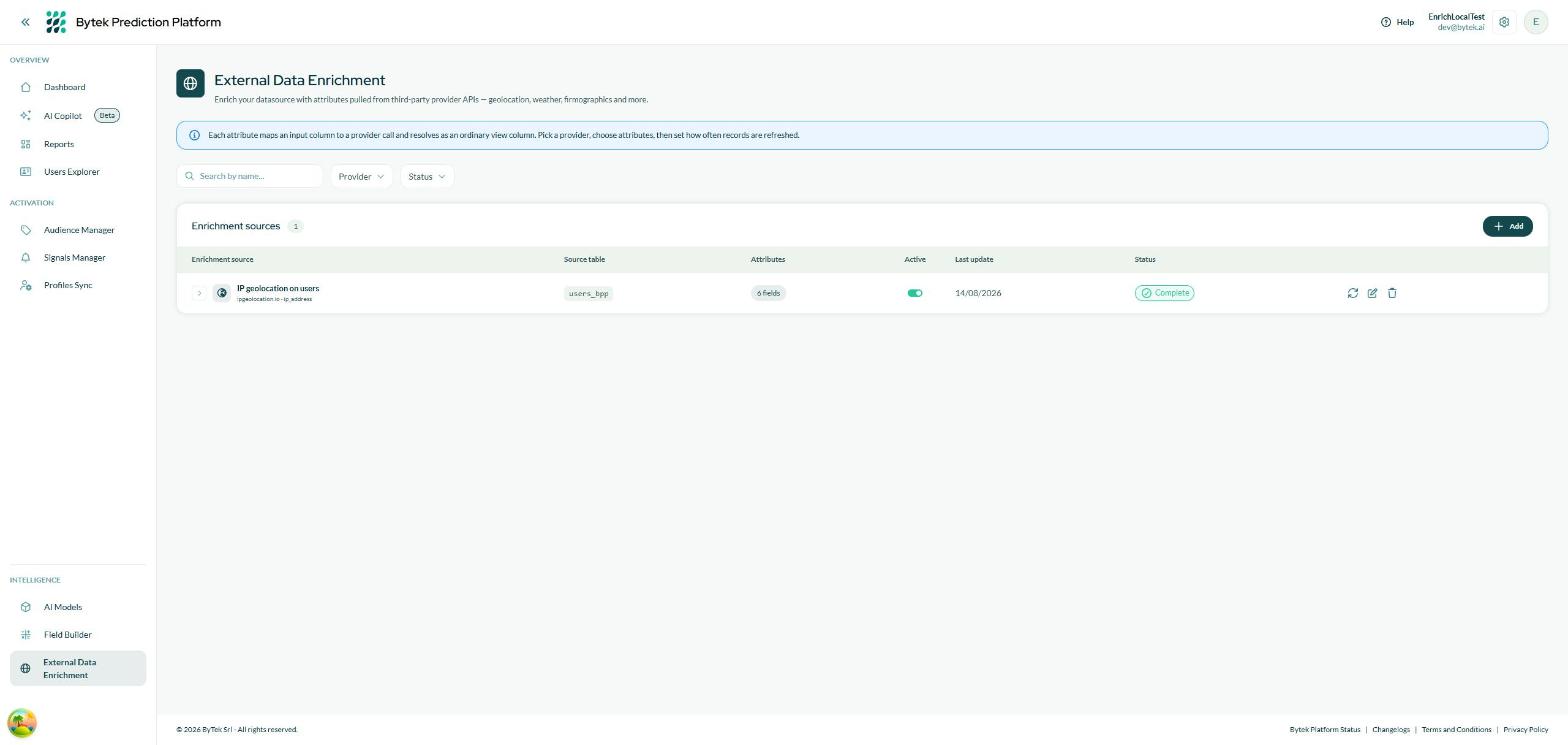
The External Data Enrichment page — one row per source, with its provider, source table, number of fields and status.
Examples of what you can add:
- Turn the IP address you collect on signup into country, region and city — for geographic audiences, without asking the user for their location.
- Add the time zone of each user, so send-time and reporting can respect it.
- Add the network operator behind the IP, to tell home traffic from corporate or mobile traffic.
The providers are contracted and paid for by Bytek. You never create a connection, never enter an API key and never see a bill — you pick a provider from the catalog and configure what you want from it.
How it works, in plain terms
- You create an enrichment source: a provider, the table to enrich, the column that carries the provider's input, and the fields you want back.
- BPP collects the distinct values of that column — if 5,000 users share 900 different IP addresses, the provider is asked about 900 values, not 5,000 records.
- Those values are looked up with the provider and stored privately.
- The results are attached back to every record that carries the matching value, and appear as new columns on your table.
- The enrichment runs again as part of your platform's scheduled pipeline — after reconciliation and before the AI models, so the models always see the enriched data.
Two consequences worth knowing:
- New values are picked up automatically. Every scheduled run enriches values that have appeared since the last one — new users get their columns filled without you doing anything.
- Existing values are only refreshed if you ask. How often an already-known value is looked up again is the run logic you choose in the wizard.
Where the enriched columns appear
Once your source is running and its first run has completed, the new fields show up wherever fields are used:
| Where | What you can do |
|---|---|
| Audiences | Filter on the new fields, e.g. "City is Milan", "Country is not Italy". |
| Signals | Use them in conditions the same way as any other field. |
| Users Explorer | See the value on each user profile. |
| AI Models | The models pick up the columns as additional features. |
| Field Builder | Build calculated fields on top of them. |
Each field carries a Visible toggle: turn it off to keep the column but hide it from the pickers.
Source lifecycle
| Status | What it means |
|---|---|
| Draft | Configured but never started. Nothing has been looked up yet and no columns exist. |
| Running | A lookup is in progress. |
| Complete | Running normally: the columns exist and are refreshed by every scheduled run. |
| Suspended | Paused by you. It is skipped by the scheduled pipeline; already-retrieved data is kept, so resuming does not pay for everything again. |
| Error | The last run failed. The reason is shown on the source, and the next scheduled run retries automatically. |
What it costs
Every value looked up is paid for. The platform is built to keep that spend predictable:
- Only distinct values are looked up — never once per record.
- Values already retrieved are not bought again, unless the run logic you chose says they should be refreshed.
- The test in the wizard is a real, billed call on a small sample — that is what makes it a real test.
- Refreshing by hand is rate-limited: one manual run per source per hour, and a daily cap per account.
Learn more
- Creating an enrichment source — the six-step wizard, one screen at a time.
- Managing sources — running, pausing, editing, and what each status means.